




Voximplant Kit updates
The Voximplant Kit team presents the recent updates! Webchat buttons, new appearance for embeddable and desktop softphones, sound notifications for hold limit and many more in the following article!
 2024-04-12
 8151
8151The Voximplant Kit team presents the recent updates! Webchat buttons, new appearance for embeddable and desktop softphones, sound notifications for hold limit and many more in the following article!
2024-04-128151
Introducing the new features added to Voximplant Kit! Sidebar redesign, integration with HubSpot, new answering machine detection model for USA, new user status log filters and more!
2024-02-147541
We are informing you that starting from March 15, 2024 all historical data in Voximplant Kit will be stored for 1.5 years
2024-02-156740
Starting February 2, the sidebar in Voximplant Kit is getting a makeover. The redesign will significantly optimize the use of the screen space. The enhanced sidebar will include the following categories: Administration, Workspace, Reporting, History, and Setup. Every category will have its own icon. Some sidebar sections will have sub-menus that will open when you click the required section. To expand or collapse the sidebar, click the category icon again or use the arrow icon at the bottom of the sidebar.
2024-01-2635581
In today's business world, sales, support, and marketing teams often have to use multiple different systems to interact with customers. This can lead to inefficiencies, data loss, and customer dissatisfaction. The new Voximplant Kit integration with HubSpot brings together telephony and CRM into a single system.
2024-01-2454010
Dear clients! We are excited to introduce the new features added to Voximplant Kit in autumn 2023! New features include: managing agent statuses, message templates, duration filter in call history, blind transfer to users and more!
2023-12-297345
Kindly note that Voximplant Kit will be undergoing brief scheduled maintenance on November 28th, at 1:00 AM CST
2023-11-225736
Soon, the obsolete «Live dashboard» section will be hidden in the interface to improve the usability of our product. All queue and PDS campaign statistics are available in the «Live monitoring» section, which offers more features to track your contact center key indicators.
2023-11-156960
Agent’s Workspace in Voximplant Kit will be redesigned. The call panel will be moved to the top of the page. Call processing options will be located below the call panel. The contact list for call transfer will be placed on the right side of the page.
2023-10-096169
You can now use Internal chats in the Voximplant Kit interface to streamline communication with your colleagues. The functionality is designed for private chatting between employees and group communication.
2023-08-025371
Voximplant Kit will soon introduce the updated status management mechanism to streamline your work. We will hide the «Receive new» switch and add the ability to schedule your next status. We will also move the essential tools, like Profile settings, agent’s Live statistics, Help center, Softphone, and Internal chat, from the bottom menu to the top bar for easier visual navigation.
2023-07-195966
It's more important than ever for businesses to deliver exceptional customer support to remain relevant in a rapidly growing digital landscape. Let's walk you through how to set up a customer support center with Voximplant Kit.
2023-03-3045600

Voximplant now includes a native Cartesia module for streaming, low-latency text-to-speech (TTS). You can use a single VoxEngine API to synthesize speech in real time, connect it to any call (PSTN, SIP, WebRTC, WhatsApp) and control playback from a Large Language Model (LLM) or other source, all inside VoxEngine.
2025-11-1812282
Voximplant now includes a native Cartesia Line / Agents connector that connects any Voximplant call to a Cartesia Line voice agent for real-time, speech-to-speech conversations—over PSTN, SIP, WebRTC, or WhatsApp Business Calling—without building custom media gateways or WebSocket streaming infrastructure.
2026-02-1110562
Voximplant now includes a native Grok module that connects any Voximplant call to xAI’s Grok Voice Agent API for real-time, speech-to-speech conversations. With a single VoxEngine scenario, you can interact via audio with Grok over phone numbers, SIP trunks and infrastructure, WhatsApp Business, or WebRTC into Grok — all without building custom media gateways or WebSocket streaming infrastructure.
2026-01-1423153
A practical guide to running a compliant voice AI stack on Voximplant: EU data residency, compliance documentation, and what to verify at each layer — telephony, LLM, STT, and TTS
2026-08-063079
Voximplant now lets developers build full-cascade voice AI pipelines in VoxEngine without sacrificing turn-taking quality.
2026-03-266995
Voximplant now includes a native Deepgram module that connects any Voximplant call to Deepgram’s Voice Agent API for real-time, speech‑to‑speech conversations. You can stream audio from phone numbers, SIP trunks, WhatsApp, or WebRTC into Deepgram’s unified agent environment—combining STT, LLM reasoning, and TTS—and play responses via Voximplant’s serverless runtime with minimal latency.
2025-12-1713818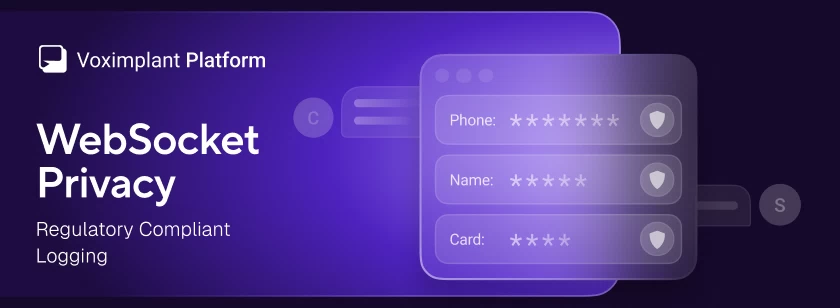
Voximplant has added a WebSocket privacy option that redacts message payloads from logs across all WebSocket-based services – Voice AI connectors and external speech system – and speech control modules
2026-04-234361
Voximplant now includes a native MCP Client for VoxEngine, giving developers direct connectivity to any MCP server and full control over every tool call
2026-06-034067